You Will Wish You Had Downloaded These Five Amazing Amazon Fire Stick Apps Sooner.
Nov 24, 2026
The central judgment is simple: Amazon's Fire TV Sticks are most valuable when they stop being treated as streaming boxes and start being used as small TV computers. The basic experience is already strong: plug the stick into the TV's HDMI port, connect to the internet, and streaming begins in seconds. Owners who use the device regularly often already have major streaming apps such as Netflix, Disney+, HBO Max, and Apple TV among others. But the deeper value comes from the Amazon App Store, where all Fire TV Sticks can access hundreds of different apps that add utilities and features. The result is a device that can become a radio receiver, a media player, a cloud gaming endpoint, a free live TV source, and a weather display.
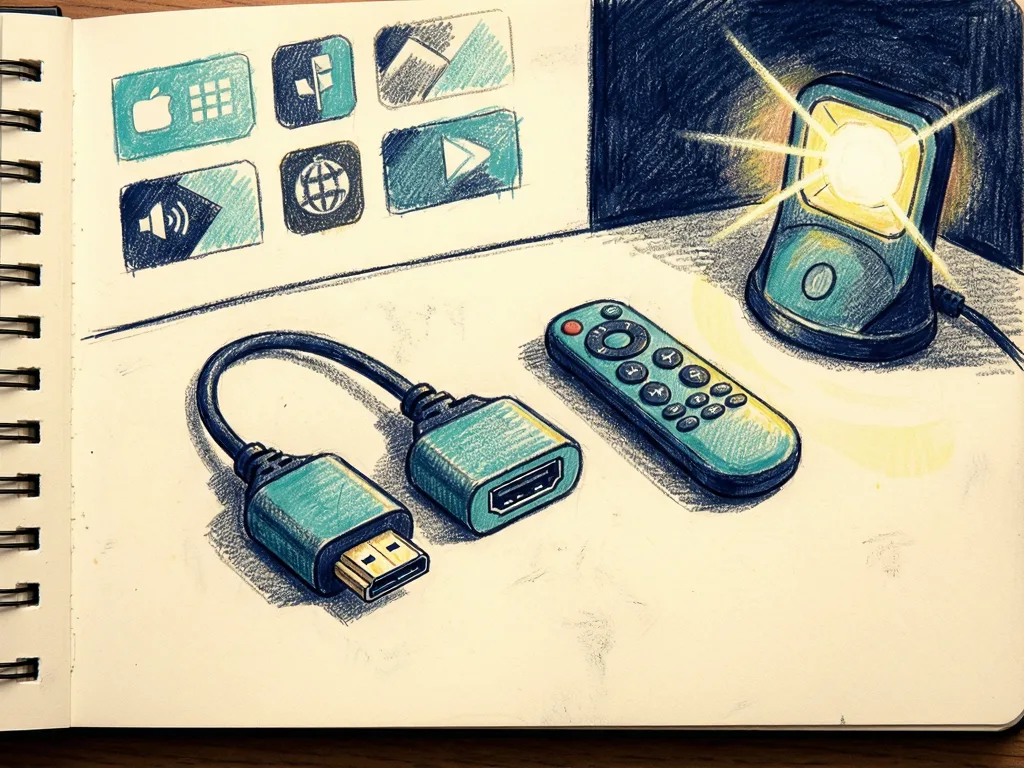
A user's Fire TV Stick 4K Max, obtained earlier this year, became the testbed for this broader role. The reported experience is that exploring the Amazon App Store changed how the stick was used day to day. Whether the goal is to turn the Fire TV Stick into a gaming hub or a media player, the practical possibilities are far larger than the streaming apps most people install first. The five recommended uses below rely on free apps available through the Amazon App Store on the Fire TV Stick, and no sideloading is required.
TuneIn Radio Moves the Radio Habit to the Living Room
TuneIn Radio is a radio app that lets you listen to radio stations from around the world on the Fire TV Stick. The use case is not just entertainment; it is environmental. The reported habit includes listening to the radio in a car and also during the day while working or doing chores around the house. TuneIn Radio transfers that routine to the living room.
The app can reach a local station or one hundreds of miles away. It uses your location, so opening it brings up stations that are local to you, along with featured and popular channels to check out. That design makes it more useful than a simple internet radio player: it behaves like a global dial with local context.
There is also a music versus radio distinction. Listening to music on Spotify can be satisfying, but the radio still offers something different: tunes that may not be in a personal playlist, plus news and weather updates depending on the station. TuneIn Radio can also be downloaded on a smartphone or PC, but the reported preference is to play it on the Fire TV Stick because of the ambiance it creates in the living room. The app's value here is not technical novelty; it is the way it turns the TV into a background listening device without requiring a phone, speaker, or separate radio.
VLC media player Lets the Fire TV Stick Play Files Instead of Only Streams
VLC media player is probably familiar to anyone who uses a Windows PC. For those unfamiliar, it is an open-source media player app that can play almost any video or audio format, including MP4, MP3, MKV, and WMV. It is one of the most popular media players downloaded on Windows and Mac computers, and it can also be installed on the Fire TV Stick.
The important shift is this: VLC allows content to be watched directly on the device instead of streaming. That means the Fire TV Stick is no longer limited to services that deliver content over the internet. If you have media stored locally, VLC can play it.
The requirement is that you supply the content yourself. This can come through an external storage device or a local network, such as a network-attached storage drive. If you have a portable drive or an external hard drive with media on it, you can play it on the Fire TV Stick with VLC. One practical limitation matters: you will need an adapter to connect an external drive to the Fire TV Stick.
VLC's value is strongest for people who already have a personal media library. It does not add a new subscription service or a new content catalog. Instead, it makes the Fire TV Stick a playback endpoint for files you already own. For users with local video or audio archives, that turns the stick into a more general media player rather than only a streaming client.
Xbox Turns the Fire TV Stick Into a Cloud Gaming Endpoint, With Clear Conditions
Xbox Cloud Gaming is the most surprising of the five uses. When the Fire TV Stick 4K Max was first obtained earlier this year, the reported assumption was that cloud game streaming would be laggy and the quality would not be very good. After trying the Xbox app recently, that assumption proved wrong.
With the Xbox app on the Fire TV Stick, many Xbox games can be played in fairly decent quality, and no console is necessary, thanks to Xbox Cloud Gaming. The setup still has requirements. All you need is an Xbox Game Pass subscription, which starts at $10 a month, and a Bluetooth controller. Xbox, Sony DualShock 4, and Nintendo Switch Pro Controller all work.
Compatibility is a major part of the story. Xbox Cloud Gaming is compatible with the Fire TV Stick 4K, Fire TV Stick 4K Max, and Fire TV Cube. It does not support the Fire TV Stick HD. It is coming soon to the Fire TV Stick 4K Select. That means the feature is not uniformly available across the entire Fire TV Stick family, and buyers who care about cloud gaming should match the model to the service rather than assume every stick can do the same thing.
The reported main title is Indiana Jones and the Great Circle. The experience was impressive in how the game looked and felt, considering it runs from the cloud. That said, the experience is not perfect. A bit of latency can still be felt, but not enough to prevent the player from feeling total control over what is happening in the game. For cloud gaming, Xbox recommends using 5GHz Wi-Fi with at least 20 Mbps speed for optimal performance. If that network condition is met, the experience should be similar to the reported one.
There is also a competitive angle: Amazon also offers its own cloud streaming service called Luna. The reported reason for choosing Xbox was its much larger catalog of games to choose from. This makes the Xbox app less about replacing traditional gaming and more about lowering the entry barrier: a subscription, a controller, a compatible Fire TV Stick, and a suitable network can turn a TV into a cloud gaming display without a dedicated console.
Plex Combines Personal Media With Free Ad-Supported Live TV
Plex is similar to VLC in that it allows you to play your own media on the Fire TV Stick. The difference is that Plex can remain useful even if you have not set up a media server yourself. That gives it a broader role than a simple file player.
The lesser-known feature is live TV. Plex lets you stream many free, ad-supported live TV channels, similar to apps like The Roku Channel and Pluto TV. This category is often referred to as free, ad-supported live TV channels, and it changes the economics of the Fire TV Stick experience. You are not limited to apps you already pay for, and you are not limited to media you already own.
Plex therefore works on two levels. It lets you watch media you already own on the Fire TV Stick, but it also lets you watch tons of content for free. The reported favorite channel is Top Gear UK, which streams the best episodes of the classic British car show around the clock. Additionally, Plex offers a large selection of free movies and TV shows supported by ads.
For users tired of other free, ad-supported streaming apps, Plex is worth checking out because it merges personal library playback with a broader free channel lineup. The practical value is consolidation: instead of treating the Fire TV Stick as only a portal to subscription services, Plex makes it a place where owned files and free live channels can coexist.
MyRadar and The Weather Channel Make the TV a Weather Board
The final recommended use actually involves two apps, but they serve the same purpose: checking the weather. MyRadar is the more visual companion. It displays an animated weather radar of your current location on the TV. If you are watching a show or movie and suddenly it starts pouring rain, you can open the app and quickly see the weather radar for what is happening outside.
The reported experience includes tracking several thunderstorms using MyRadar on the Fire TV Stick. With winter approaching, the app is also useful for monitoring snowstorms. You can view weather radar for other parts of the country, not just your local area. That makes MyRadar less like a forecast widget and more like a situational awareness tool.
The second app is The Weather Channel. It is described as a good companion to MyRadar for getting a more detailed weather forecast. You can easily check a forecast on your phone, but pulling it up on the TV is presented as a fun way to do it. If you are with family and friends who love talking about the weather, this becomes a shared viewing experience.
The weather pair matters because it shows how the Fire TV Stick can move beyond passive content consumption. It can become a household display for immediate information: radar activity outside, storm tracking, and a fuller forecast when needed.
The Real Value Is a More Versatile TV Device
The five recommended uses point to a larger conclusion: the Fire TV Stick is not only a streaming stick. The Amazon App Store is the key unlock. With free apps available through the store and no sideloading required, the same device can become a radio hub through TuneIn Radio, a local media player through VLC, a cloud gaming endpoint through Xbox, a personal media and free live TV platform through Plex, and a weather display through MyRadar and The Weather Channel.
The practical meaning for readers is straightforward. If you already own a Fire TV Stick and use it mainly for Netflix, Disney+, HBO Max, or Apple TV, the device may be doing less than it can. If you have a Fire TV Stick 4K Max or another compatible model, the Xbox app can turn it into a gaming hub with the right subscription, controller, and network conditions. If you have local media, VLC can make the stick useful beyond streaming. If you want free channels without building your own media server, Plex can add value. If you want ambient listening or weather awareness, TuneIn Radio, MyRadar, and The Weather Channel make the TV more than a screen for scheduled entertainment.
The risks and uncertainties are just as important. Cloud gaming depends on compatible hardware, a $10 a month subscription starting point, a Bluetooth controller, 5GHz Wi-Fi, and at least 20 Mbps speed for optimal performance. Local media playback depends on having files to play and possibly needing an adapter for an external drive. Free live TV through Plex depends on the availability of free, ad-supported channels and on whether its catalog appeals to you. Weather apps are most useful when the TV is already on and the user wants a shared, glanceable display. The Fire TV Stick becomes more valuable not because it replaces every other device, but because it can absorb several habits: listening, playing, watching local files, browsing free channels, and checking conditions outside.