I painfully discovered that Google Photos does not really store your pictures on your phone.
Nov 29, 2026
The core problem is not that Google Photos fails to store memories. It is that Google Photos can make a cloud-only picture look exactly like a local one until the network disappears. A user may scroll confidently through a library that appears continuous, only to tap a remembered image and receive a tiny, blurry preview that cannot be edited, zoomed, or trusted for offline use. The practical lesson is simple: if a picture matters while offline, it should be deliberately downloaded while the phone still has Wi-Fi or mobile data.
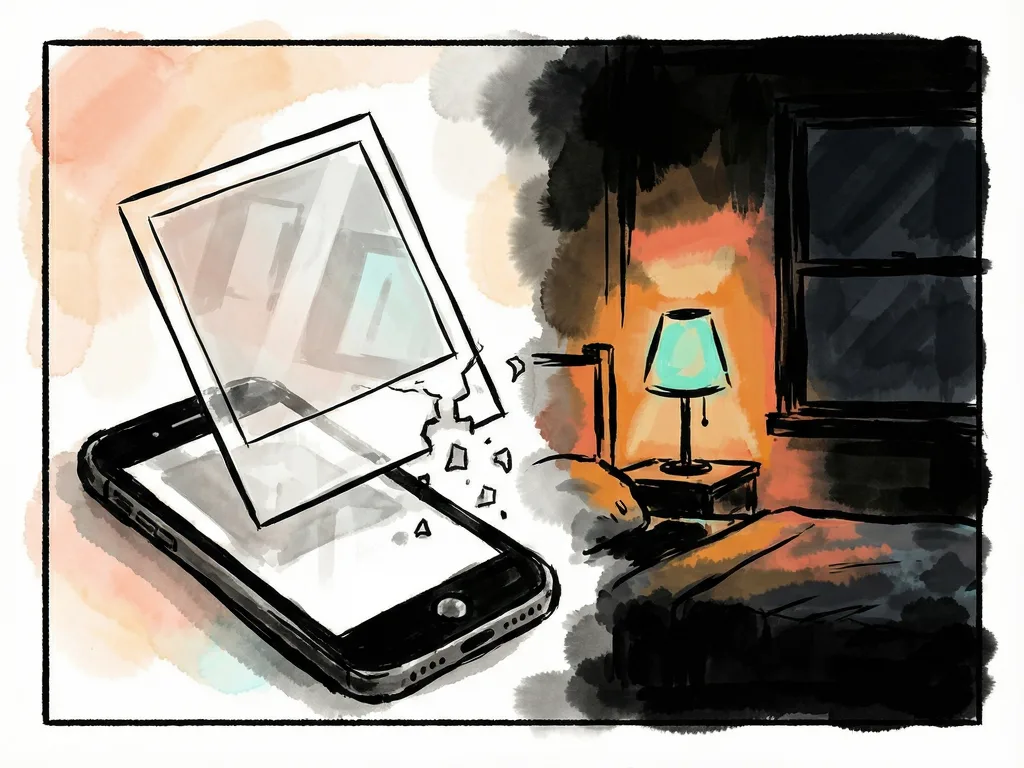
This distinction matters because offline moments are not rare. They can happen in a doctor’s waiting room, during a trip to a remote place, or in the one corner of a house where service is weak. When YouTube, Reddit, TikTok, and even Facebook are unavailable, the phone becomes a local device again. At that point, Google Photos may feel like the last familiar app left open, but its usefulness depends on whether the images inside are actually present on the phone or merely visible through the cloud.
The Seamless Library Can Hide a Cloud-Only Reality
Google Photos presents pictures saved in the cloud and pictures saved on the phone as one continuous library. That design choice is convenient because it removes the mental burden of sorting files by location. The user sees photos in one scrollable stream, not a split view between “on this device” and “stored remotely.” For everyday browsing, this feels natural.
The issue appears when the connection disappears. The source article describes a 2019 picture of a Christmas tree that became a blurry preview when offline. The user could not edit it or zoom in to see details. The complaint is not that the picture was missing from the library; it was visible, but not usable. That is the difference between a photo being catalogued and a photo being available.
The author also recalls a period of several months before Wi-Fi was extended in a new place, when there was no service in bed. During those nights, Google Photos became a fallback for old travel photos and screenshotted memes from two years ago. The behavior is understandable. If the internet is gone, the phone’s local media becomes entertainment. But when some of those pictures are cloud-only, the experience becomes frustrating. The library promises access, but the network condition revokes it.
Why Cloud Storage Changes the Meaning of “Having” a Photo
The article’s personal history helps explain the confusion. For millennial or zillennial readers, there was a time when media had to be carried physically on a device. Movies, albums, and video games could be filled onto an iPod or an iPad so they could be watched, listened to, or played anywhere in a house or during a car ride. “Having” a photo meant the file was on the phone, just as “having” music meant the song was on the device.
Cloud services changed that relationship. A picture can now be present in a visual library while living remotely. The user may remember taking it, see it in the app, and assume it is stored locally because the interface does not loudly announce the difference. The source article says the author always thought that meant all photos were on the phone, similar to previous phones.
That assumption is reasonable, but it can fail in ordinary situations. A traveler may need a photo of an itinerary or a ticket. A shopper may take a picture of a grocery list on the fridge, only to find it too blurry to read once at Walmart. These are not exotic edge cases. They are moments where a picture becomes a tool, not just a memory. If the tool depends on a network that is absent, the convenience of the cloud becomes a dependency.
A Simple Offline Test for Important Photos
The most useful practical takeaway from the source article is the test: turn on Airplane mode, confirm that Wi-Fi is disabled, open Google Photos, and navigate to the picture you want to check. Tap the photo and see whether it opens normally. If it appears blurry and cannot be used, it is not available offline. After that, turn off Airplane mode, make sure the phone is connected to Wi-Fi or mobile data, return to the photo, open the three-dot menu, and select Download. This saves a copy to the phone.
This test is valuable because it mirrors the failure condition. It is not enough to ask whether a picture appears in the library. The real question is whether it survives the loss of connection. Airplane mode gives a direct answer. The source article credits one image to Pocket-lint / Canva and another to Pexels/Raw Pixel, but the testing method itself is the operational point: simulate offline conditions before you need them.
The author also gives a personal example: a picture from Ireland that is always liked to revisit. The intention is not merely archival. The user knows there will be future moments of boredom, travel, or waiting, and wants that picture ready when the connection is not. The same logic applies to travel documents, but it also applies to less serious content. If you are stuck somewhere with a best friend or partner and want to show memes, those memes should also be checked with Airplane mode.
The Trade-Off Between Backup and Availability
There is still a real benefit to keeping photos backed up. The source article says that being able to reach backed-up pictures from an account is useful, especially if the phone is lost. That is a strong argument for cloud storage. A device can break, disappear, or be replaced, but a backed-up account can preserve memories beyond the hardware.
The problem is not backup itself. The problem is invisible cloud storage. If a cloud library feels identical to a local library, users may not realize which items require a network. The source article frames this as Google Photos being on trial for making cloud storage feel invisible. The conclusion is that the service is guilty of that design effect, not necessarily of malfunction. The app works as intended, but the intention can still create a misunderstanding.
The uncertainty is important: the source does not specify which photos were uploaded, which were kept locally, how the device was configured, or whether Google Photos settings could have changed the result. The article’s value is not a universal technical claim about every account. It is a behavioral warning based on the author’s experience. Some pictures may be available offline because they were captured on the phone, downloaded earlier, or stored locally by default. Others may not be. The only way to know is to test them under offline conditions.
What This Means for Everyday Phone Use
The article ultimately reframes Google Photos as two different tools depending on network status. Online, it is a searchable, synced, cross-device memory system. Offline, it becomes a viewer whose usefulness depends on local copies. The same scroll can produce two completely different experiences.
This is especially relevant for images that have a practical role. A ticket photo, an itinerary screenshot, a receipt, a boarding pass, or a grocery list may look like ordinary pictures until they become necessary in a place with poor service. Entertainment is less urgent, but it is still where the problem often appears first. The author’s late-night browsing in a Wi-Fi-less bed is not a technical emergency, but it reveals a pattern: when the internet disappears, users reach for familiar local media, and cloud-only content breaks that habit.
The comparison to the flip phone era sharpens the point. Before smartphones and cloud libraries, offline boredom had simpler answers. The author recalls going through a contact list or playing Snake until falling asleep from boredom. The modern equivalent is not necessarily a game, but a downloaded photo library. The article ends with a light reminder: either download a few photos or get an offline version of Snake to play. That line works because it connects a small technical habit to a larger personal routine.
A Practical Rule for Photos That Matter
The most defensible conclusion is narrow but useful: treat Google Photos as a mixed environment. Some pictures are on the phone. Some are in the cloud. The interface may hide that boundary until the network fails. When a picture is important, whether for travel documents, a remembered trip, a shared joke, or a future offline moment, download it while connected.
That habit does not require abandoning cloud storage. It simply adds a step. Back up the library, but keep local copies of the images you may need without Wi-Fi or mobile data. The source article’s test with Airplane mode is the clearest way to convert a vague assumption into a concrete answer. It turns “I thought this picture was on my phone” into “I know whether this picture works when I am offline.”